Ecommerce SEO: How to Optimize Your Online Store for Google
Learn how to improve your online store's SEO, optimize product pages, understand Google indexing, and configure essential SEO settings with EftahShop.
Ecommerce SEO: How to Optimize Your Online Store for Google
You've launched your online store, uploaded your products, added descriptions and images, and made sure everything looks professional.
But there's one problem.
When you search for your products on Google, you can't find them.
Does that mean something is wrong with your store?
Not necessarily.
Your product pages might need better search engine optimization, Google may not have discovered them yet, or Google may have crawled the pages without adding them to its search index.
This is where Ecommerce SEO (Search Engine Optimization) becomes important.
Ecommerce SEO helps search engines discover and understand your store's content while improving your chances of reaching potential customers through organic search results.
In this guide, we'll explain how ecommerce SEO works, how to optimize product pages, what crawling and indexing mean, and how EftahShop helps merchants manage essential SEO settings.
What Is Ecommerce SEO?
Ecommerce SEO is the process of improving an online store's visibility in organic search results.
It involves optimizing product pages, category pages, website content, internal links, and technical configurations to help search engines understand your store.
Imagine you sell fragrances.
A potential customer searches Google for:
"Men's oud perfume"
Google may display product pages from different online stores.
To compete for relevant searches, your product page needs useful information, clear product details, and a technically accessible structure.
However, SEO doesn't guarantee first-page rankings.
Search visibility depends on multiple factors, including content relevance, quality, competition, and Google's ranking systems.
Crawling vs. Indexing vs. Ranking: What's the Difference?
Before optimizing your online store, it's important to understand how search engines process webpages.
There are three key stages.
1. Crawling
Crawling is the process through which search engines discover and access webpages.
Google uses automated programs called crawlers, including Googlebot, to visit URLs and retrieve their content.
Google may discover your product pages through internal links, external websites, or XML sitemaps.
However, discovering a URL doesn't necessarily mean Google has crawled it.
2. Indexing
After crawling a page, Google analyzes its content and determines whether to include it in its search index.
Not every crawled page gets indexed.
Google may decide not to index a page for various reasons, including technical restrictions, duplicate content, or content quality considerations.
3. Ranking
Once a page is indexed, it becomes eligible to appear in relevant search results.
Its position depends on how well Google's systems determine that the page answers a particular search query.
The simplified process looks like this:
URL Discovery → Crawling → Content Evaluation and Indexing → Eligibility for Search Results
Understanding these stages helps you identify the actual problem when your products don't appear on Google.
How to Optimize Product Pages for SEO
Product pages are among the most important pages on an ecommerce website.
They help customers understand what you're selling, compare options, and make purchasing decisions.
Here are several ways to improve their SEO.
1. Write Clear and Descriptive Product Titles
A product title should accurately explain what you're selling.
Instead of using a generic title like:
"Oud Perfume"
Consider something more descriptive:
"Men's Oud Perfume – Woody Fragrance, 100ml"
The second title provides additional information about the product's type, scent, and size.
It may also match the language customers use when searching online.
However, avoid adding irrelevant keywords or inaccurate product details simply to target more searches.
2. Create Original Product Descriptions
One common ecommerce SEO mistake is copying product descriptions directly from suppliers.
When multiple online stores publish identical descriptions, it's harder for any one page to offer something distinctive.
Instead, create descriptions that answer real customer questions.
For example, if you're selling a handbag, explain its material, dimensions, available colors, features, and care instructions.
Focus on details that help customers evaluate the product.
A useful product description doesn't need to be unnecessarily long.
Accuracy, clarity, and relevance matter more than word count.
3. Optimize Product Images and Alt Text
Product images play an important role in online shopping.
Customers rely on images to understand a product's appearance, materials, and details.
Use clear photographs that accurately represent the product.
Whenever useful, include images from different angles.
You should also provide descriptive alternative text, commonly called alt text.
Instead of:
image-123.jpg
Use an image description such as:
"Black leather women's handbag with adjustable shoulder strap"
Alt text helps describe images to users who rely on assistive technology and provides useful context to search engines.
Avoid filling image descriptions with repetitive keywords.
4. Optimize SEO Titles and Meta Descriptions
SEO titles and meta descriptions help communicate the purpose of a webpage.
SEO Title
An SEO title should accurately describe the page's main content.
For example:
Men's Oud Perfume 100ml | Your Store Name
Keep titles descriptive and relevant to the product.
Google may use your configured title or generate a different title link based on available page content.
Meta Description
A meta description provides a short summary of a webpage.
For example:
Discover our 100ml men's oud perfume. Explore its fragrance notes, product details, pricing, and available ordering options.
A well-written meta description can help users understand what they'll find on the page.
However, meta descriptions are not a direct Google ranking factor.
Google may also generate a different snippet when it better matches the user's search query.
How to Use Keywords in Ecommerce SEO
Keywords are the words and phrases people use when searching for products.
For example, if you sell accessories, potential customers might search for:
"Sterling silver rings for women"
"Stainless steel necklaces"
"Minimalist jewelry"
Understanding these searches can help you create better product titles, descriptions, and category content.
Use relevant keywords naturally.
Don't repeat the same phrases unnecessarily.
Are Meta Keywords Important for Google?
There's an important distinction between keywords used within your content and the HTML meta keywords tag.
Google does not use the meta keywords tag for search indexing or ranking.
This means adding a long list of keywords to a metadata field won't automatically improve your search visibility.
Instead, prioritize helpful content that reflects how customers search for your products.
What Is a Canonical URL?
Sometimes an online store has multiple URLs displaying identical or very similar content.
For example, a product page might be accessible through different URLs containing tracking parameters.
A canonical URL helps indicate which version you prefer search engines to treat as the primary page.
This can help consolidate signals associated with duplicate or near-duplicate URLs.
However, canonical URLs are treated as signals rather than absolute instructions.
Google may select a different canonical URL if its systems determine another version is more appropriate.
Should Product Pages and Landing Pages Share the Same Canonical URL?
Not necessarily.
Imagine you have a regular product page and a dedicated landing page for an advertising campaign.
If both pages provide substantially different content and serve distinct purposes, each may appropriately use its own canonical URL.
However, if they contain identical or nearly identical content, selecting a preferred canonical page may be appropriate.
The correct decision depends on content similarity and page purpose.
Using the same product doesn't automatically mean two pages should share one canonical URL.
What Are Robots Meta Tags?
Not every page on your online store needs to appear in Google Search.
You may have temporary campaigns, test pages, or content you don't want indexed.
Robots meta tags help communicate indexing and link-following preferences to search engines.
Common directives include:
index: Allows indexing if the page meets other requirements, but doesn't guarantee it.
noindex: Instructs supporting search engines not to include the page in their search index.
follow: Allows crawlers to follow links on the page, subject to their normal crawling behavior.
nofollow: Instructs supporting crawlers not to follow links on the page.
Is Robots.txt the Same as Noindex?
No.
Robots.txt primarily controls which URLs crawlers are allowed to access.
A noindex directive tells supporting search engines not to index a particular page.
If Googlebot is blocked from accessing a page through robots.txt, it may not be able to discover the noindex directive inside that page.
That's why robots settings should be configured carefully, especially for important product pages.
Can Ecommerce Landing Pages Rank on Google?
Yes.
Landing pages can support organic search strategies as well as paid advertising campaigns.
However, their suitability for organic search depends on their purpose and content.
For example, a landing page containing original, useful information about a product or product category may be relevant to specific search queries.
A temporary advertising campaign page may serve a different objective.
The important thing is to align the page's content and indexing settings with its purpose.
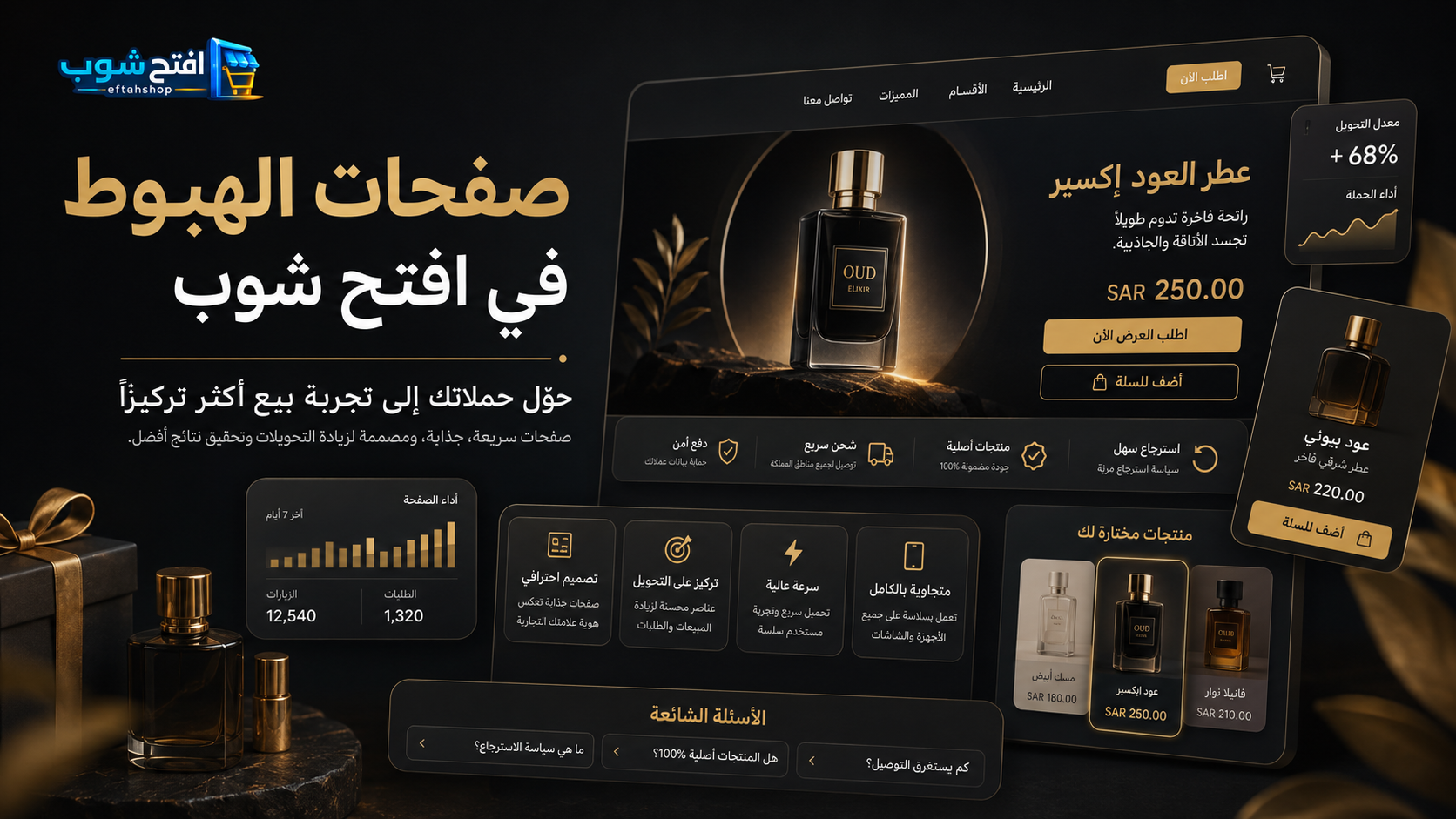
With EftahShop, merchants can create dedicated landing pages connected to products in their stores and configure SEO settings for those pages.
Want to learn more?
Read our guide:
How to Create a Product Landing Page That Helps Increase Online Sales
How to Check Whether Your Store Is Indexed by Google
Google Search Console is one of the most useful tools for monitoring your website's presence in Google Search.
Once you've verified ownership of your store, you can use the URL Inspection tool to check individual product pages.
The tool provides information about indexing status, crawling, and canonical URL selection.
It can also help you understand why certain pages haven't been indexed.
What Does "Discovered – Currently Not Indexed" Mean?
This status generally means Google knows about the URL but hasn't crawled it yet.
It doesn't necessarily indicate an SEO configuration error.
Google may postpone crawling for various reasons.
What Does "Crawled – Currently Not Indexed" Mean?
This means Google has crawled the page but hasn't included it in its index.
If you see this status, review the page's usefulness, originality, internal links, and any potential technical issues.
However, there's no single guaranteed solution that applies to every website.
Improving the page may help, but Google ultimately determines whether to index it.
Why Internal Linking Matters for Ecommerce SEO
Internal links connect pages within the same website.
For example, a category page for men's fragrances may link to individual perfume products.
A blog article about choosing a fragrance could also link to relevant product pages.
Internal links help customers navigate your store and help search engines discover related content.
They also provide useful context about how different pages are connected.
Use descriptive link text whenever possible.
For example, "Explore our men's oud fragrances" communicates more information than "Click here."
Avoid adding links solely for SEO purposes.
Each link should provide genuine value to visitors.
Does Website Speed Affect Ecommerce SEO?
Website performance and mobile usability are important parts of the shopping experience.
A slow-loading store may frustrate customers and lead them to leave before exploring your products.
Similarly, a website that's difficult to navigate on mobile devices may create unnecessary barriers to purchasing.
To improve the experience, consider using appropriately sized images, reducing unnecessary scripts, making navigation clear, and optimizing checkout usability.
You can evaluate technical performance using tools such as Google PageSpeed Insights.
However, faster loading times alone won't guarantee higher rankings.
SEO performance depends on many factors, not just speed.
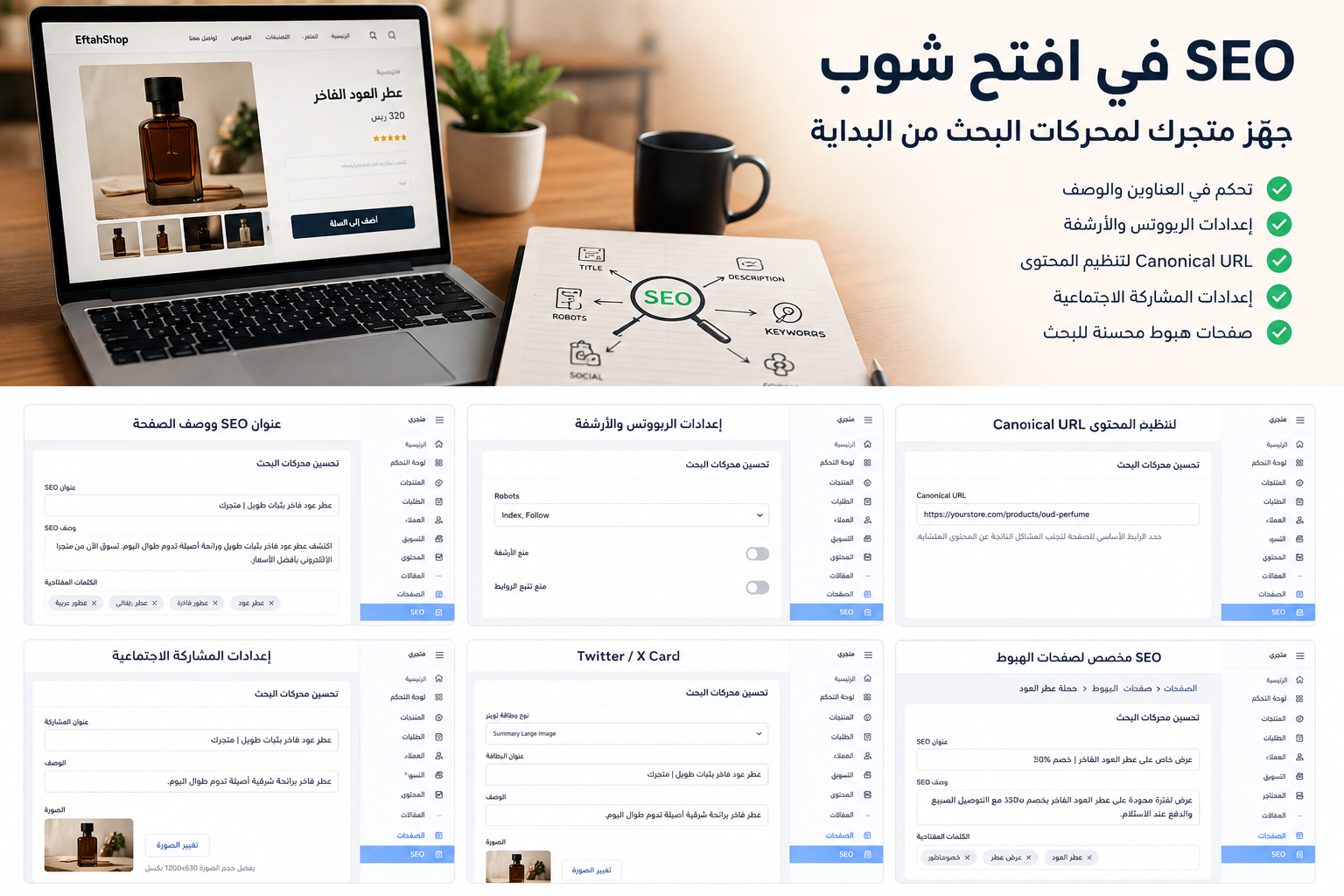
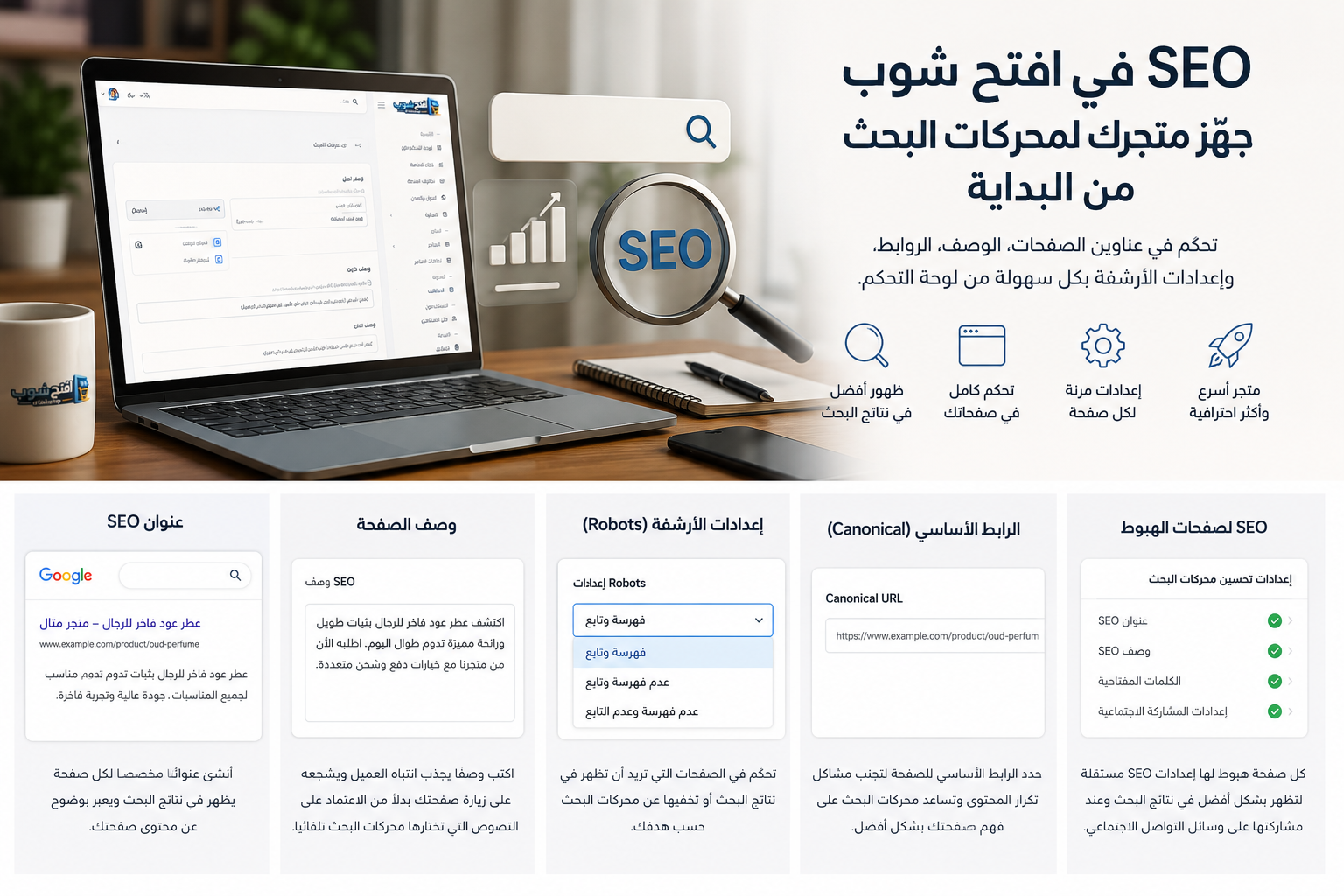
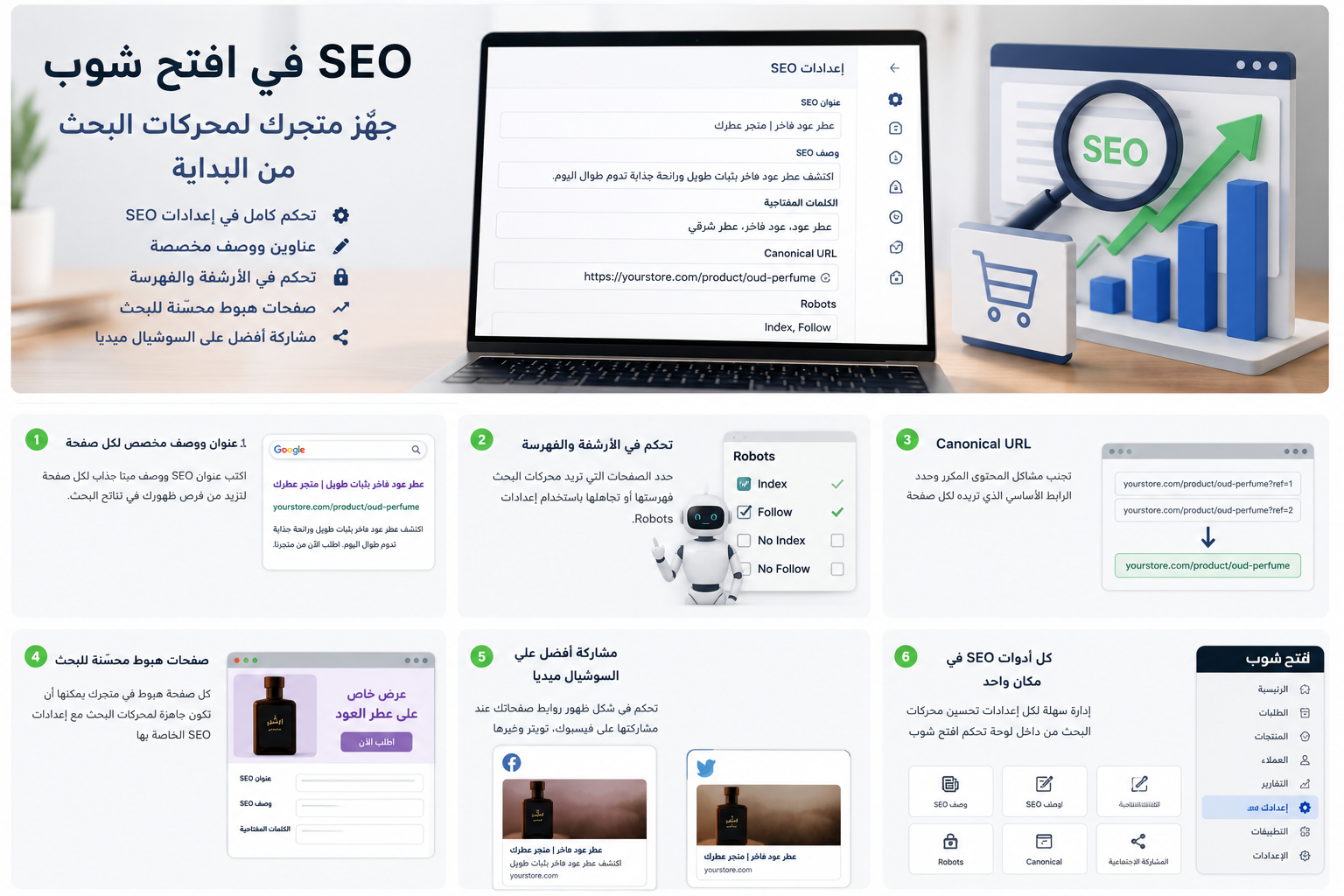
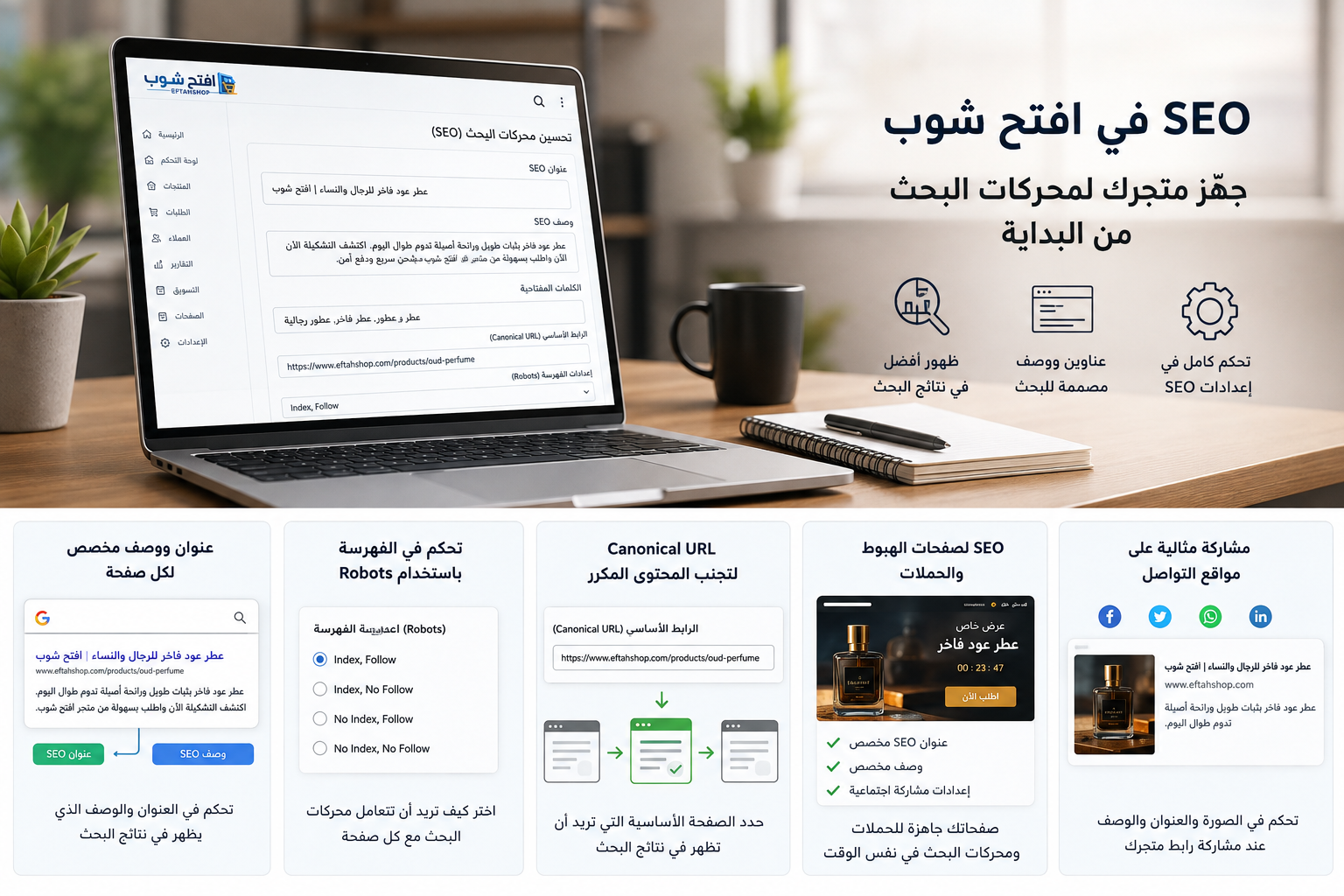
Ecommerce SEO Tools Available in EftahShop
Optimizing an online store shouldn't require rebuilding pages every time you need to change SEO settings.
EftahShop provides built-in SEO controls within its store and page management tools.
These features help merchants configure important metadata and indexing settings from their dashboards.
1. Custom SEO Titles
Define SEO titles that accurately describe your pages and products.
A clear title helps communicate the page's subject to search engines and visitors.
2. Meta Descriptions
Write customized descriptions that summarize your page content.
These descriptions can help potential customers understand what your pages offer.
3. Canonical URL Settings
Configure preferred canonical URLs when you need to manage duplicate or substantially similar content.
4. Robots Configuration
Adjust supported robots directives according to the purpose of each page.
For example, you may want important product pages to remain indexable while preventing temporary test pages from appearing in search results.
5. Social Sharing Metadata
Configure metadata associated with how your pages appear when shared on social media platforms.
This includes social preview information and support for formats such as Twitter/X Cards.
Social sharing metadata helps control link presentation, but it doesn't replace traditional SEO optimization.
6. Landing Page SEO Settings
EftahShop also provides SEO configuration options for landing pages.
This allows merchants to prepare dedicated campaign pages while maintaining control over important page metadata and indexing preferences.
Common Ecommerce SEO Mistakes to Avoid
Even well-designed online stores can have SEO weaknesses.
Here are some common mistakes worth avoiding.
Copying Product Descriptions
Using identical descriptions from suppliers may make your content less distinctive.
Whenever possible, add original information that helps customers understand your products.
Using the Same SEO Title Across Multiple Products
Different products should generally have descriptive titles that reflect their specific content.
Using identical titles everywhere makes it harder for users and search engines to distinguish pages.
Keyword Stuffing
Repeating the same keywords excessively doesn't make your content more useful.
Focus on readability and relevance.
Accidentally Using Noindex
If an important product page includes a noindex directive, supporting search engines won't index it after processing that directive.
Review indexing settings carefully.
Ignoring Internal Links
Product pages that are difficult to reach through internal navigation may be harder for search engines to discover.
Create a clear structure connecting categories, products, and relevant articles.
Expecting Immediate SEO Results
Search engine optimization takes time.
Crawling, indexing, and ranking changes may not happen immediately after updating your pages.
Monitor performance over time and make improvements based on actual data.
Are SEO Settings Alone Enough to Rank an Online Store?
No.
SEO titles, meta descriptions, canonical URLs, and robots settings are important, but they represent only part of a complete ecommerce SEO strategy.
Your store also needs useful product descriptions, organized categories, relevant internal links, and a good shopping experience.
You should also make sure important pages are accessible to search engines and aren't accidentally blocked from indexing.
In other words, SEO isn't simply a collection of fields you fill in once.
It's an ongoing process of improving your store's content, structure, and technical accessibility.
Start Optimizing Your Online Store with EftahShop
If you're launching a new online store, it's worth considering SEO from the beginning.
Preparing your product pages and metadata early can help you avoid unnecessary rework as your catalog grows.
With EftahShop, you can manage products, configure essential SEO settings, and create dedicated landing pages from one platform.
Instead of treating SEO as an afterthought, you can make it part of your regular store management workflow.
Ready to build an online store with SEO tools built in?
Create Your Online Store with EftahShop
Article gallery